Skip to content
Introduction
For many businesses, a template-based website is the right place to start. It provides a relatively quick way to establish an online presence, explain services, publish content and give potential customers a way to get in touch.
But businesses change.
A simple website that worked well during the early stages of a company may eventually become difficult to manage as new products, services, customers and internal processes are added.
At that point, the question is no longer simply, “Do we need a better design?”
The more important question becomes:
Does our website still support the way our business actually operates?
When the answer is no, custom web development may become a more practical long-term option.
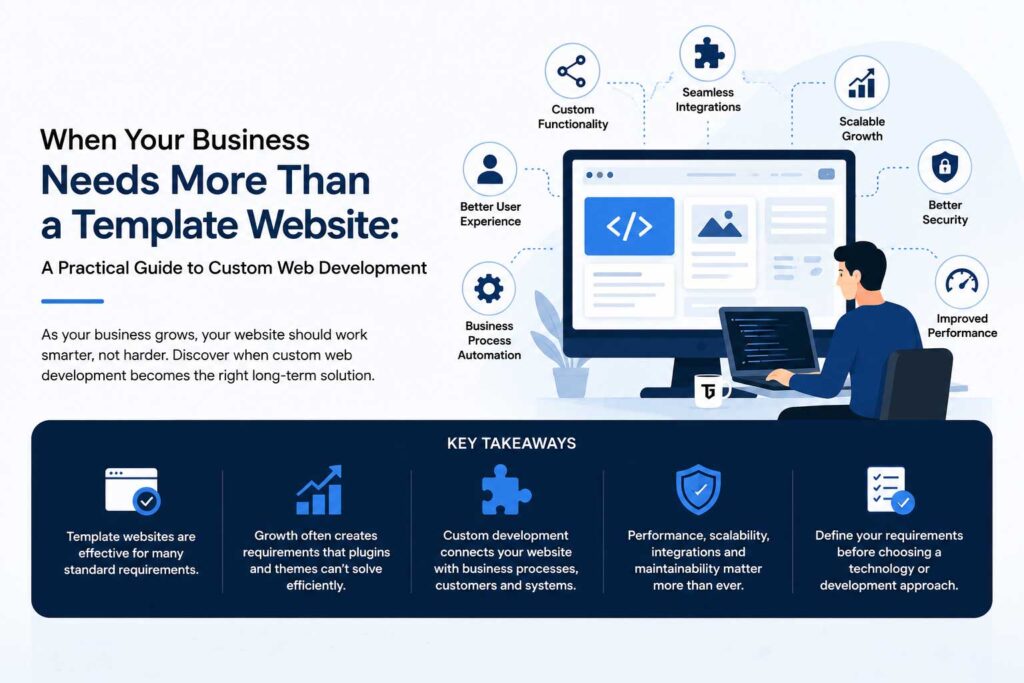
Key Takeaways
- Template websites are effective for many standard business requirements.
- Growth often creates requirements that plugins and ready-made themes cannot solve efficiently.
- Custom development becomes useful when a website must connect with business processes, customers or external systems.
- Performance, scalability, integrations and maintainability should be considered before adding more plugins.
- Businesses should define their requirements before choosing a technology or development approach.
What Is Custom Web Development?
Custom web development means creating website functionality around specific business requirements rather than relying entirely on a pre-built theme, platform or combination of plugins.
This does not necessarily mean building every part of a website from scratch.
A project might still use an established CMS, framework or ecommerce platform while adding custom functionality where the business requires it.
Examples include:
- Customer portals
- Booking systems
- Custom dashboards
- Product configurators
- Membership systems
- CRM integrations
- Payment integrations
- API connections
- Internal management tools
- Advanced search and filtering
- Automated workflows
- Custom ecommerce functionality
The objective is not to make a website technically complicated. It is to make the technology fit the requirements of the business.
1. Your Business Processes No Longer Fit Standard Plugins
Plugins are one of the major advantages of platforms such as WordPress.
They make it possible to add contact forms, ecommerce, SEO tools, booking functionality, analytics and many other features without developing everything independently.
However, problems can appear when a business tries to reproduce a complicated internal process using several unrelated plugins.
For example, imagine a business that needs customers to:
- Create an account.
- Submit specific information.
- Upload documents.
- Select a service package.
- Receive an automatically calculated quotation.
- Make a payment.
- Track the progress of the service.
- Receive notifications when the status changes.
Trying to create this workflow with several separate plugins can become difficult to maintain.
When the website needs to reflect a unique business process, custom functionality may provide a cleaner solution.
2. You Depend on Too Many Plugins
Plugins solve specific problems, but more plugins do not automatically create a better website.
A website that depends on a large number of extensions can become increasingly difficult to maintain.
Different plugins may load their own scripts, styles, database queries and background processes. They can also depend on different developers with different update schedules.
This does not mean plugins should be avoided.
The better approach is to evaluate whether each plugin is solving a useful requirement or whether several plugins are being used to compensate for functionality that should be designed as one system.
In some situations, replacing several overlapping components with purpose-built functionality can simplify the website considerably.
3. Your Website Needs to Communicate With Other Business Systems
Modern websites increasingly operate as part of a larger technology ecosystem.
A business website may need to exchange information with:
- CRM software
- ERP systems
- Accounting software
- Inventory management systems
- Email marketing platforms
- Payment gateways
- Shipping providers
- Customer-support software
- Analytics platforms
- Mobile applications
- External databases
This usually happens through APIs and other integrations.
For example, an ecommerce company may want an online order to automatically update inventory, create a customer record in its CRM and send information to its accounting system.
Without integration, employees may need to transfer that information manually between platforms.
For businesses reaching this level of complexity, professional custom web development services can help turn separate website functions and business systems into a more structured digital workflow.
The important part is not the number of integrations. It is ensuring information moves accurately and securely between the systems that actually need it.
4. Your Website Has Become Difficult to Scale
A website may begin with ten pages and eventually contain hundreds or thousands of pages, products, users or database records.
Growth introduces new technical considerations.
You may need:
- Better database architecture
- Improved search functionality
- More efficient queries
- Server-side caching
- Optimised asset delivery
- Background processing
- More capable hosting infrastructure
- Improved application architecture
A website built primarily for a small amount of traffic and content may eventually encounter limitations it was never designed to handle.
The earlier scalability is considered, the easier future growth normally becomes.
5. Customers Need Their Own Accounts or Dashboards
A traditional company website mostly provides information.
More advanced websites allow users to interact directly with a business.
Customers might need to log in and:
- View previous orders
- Download invoices
- Manage subscriptions
- Upload files
- Review reports
- Track projects
- Make payments
- Update their information
- Submit support requests
Businesses may also require different permissions for customers, employees, administrators, suppliers or partners.
Once role-based access and personalised data become important, the website begins to function more like a web application than a conventional marketing website.
That usually requires more careful planning around authentication, permissions, database structure and security.
6. Manual Work Is Increasing Behind the Website
One of the clearest signs that a website needs improvement can actually be found outside the website.
Look at what employees do after an online enquiry, purchase or form submission.
Does someone manually:
- Copy information into a spreadsheet?
- Create the same customer in several systems?
- Send repetitive emails?
- Calculate quotations?
- Update order statuses?
- Generate reports?
- Transfer information between departments?
If the answer is yes, the website may have an opportunity to automate part of the process.
A useful business website should not only provide information to visitors. Where appropriate, it should also reduce unnecessary administrative work.
7. Small Changes Are Becoming Expensive
A poorly structured website often becomes increasingly expensive to modify.
A request that appears simple – adding a new field, changing a checkout rule or connecting another service – can unexpectedly affect several unrelated components.
This usually indicates accumulated technical complexity.
When this happens repeatedly, businesses should compare two costs:
Cost of continuing to patch the existing system
versus
Cost of restructuring or rebuilding the relevant functionality properly
Continuing with the existing system may still be the right decision, particularly for minor problems.
But there comes a point where repeated temporary fixes become more expensive than correcting the underlying architecture.
Template Website or Custom Development?
The choice does not need to be ideological.
Template-based solutions remain an excellent option when the requirements are relatively standard.
A Template-Based Website Is Often Suitable For:
- Small company websites
- Blogs
- Portfolios
- Landing pages
- Standard ecommerce stores
- Service businesses
- Content-focused websites
Custom Development Becomes More Relevant For:
- Complex workflows
- Customer portals
- Custom ecommerce requirements
- Advanced integrations
- Business dashboards
- Multi-user platforms
- Internal systems
- SaaS products
- Data-heavy applications
- Automation requirements
The correct solution depends on what the business needs the website to accomplish.
Start With Requirements, Not Technology
One common mistake is choosing a technology before properly defining the problem.
A business may decide it needs WordPress, Laravel, Shopify or another platform before documenting what the website actually needs to do.
A better process starts with questions such as:
- Who will use the system?
- What tasks should users be able to complete?
- What information needs to be stored?
- Which existing systems need integration?
- Which processes should be automated?
- What level of traffic is expected?
- Who will manage the website?
- What may need to be added in the future?
Once these requirements are clear, selecting the appropriate technology becomes significantly easier.
Plan for Maintenance From the Beginning
Launching a website is not the end of development.
Websites require ongoing attention because browsers, hosting environments, third-party APIs, security requirements and business needs continue to change.
Before beginning a custom project, businesses should understand:
- Who owns the source code
- Who controls hosting and domain access
- How backups are managed
- How updates will be handled
- How problems will be reported
- What post-launch support is available
- How future features will be developed
Good technical planning should make a system easier to maintain, not permanently dependent on the people who originally built it.
Final Thoughts
A business does not need custom development simply because custom development sounds more advanced.
For standard requirements, a well-built template website may remain the most efficient solution for many years.
Custom development becomes valuable when the business has requirements that standard tools can no longer handle cleanly.
The strongest signal is usually operational rather than visual.
If employees are repeatedly working around the website, customers cannot complete important tasks online, integrations are missing, or every new feature creates another technical problem, the website may have outgrown its original architecture.
At that stage, investing in a more structured solution can do more than improve the website.
It can create a digital platform that supports the way the business works today while leaving room for how it may operate tomorrow.